VIA Studio
What I Learned Building an AI Chatbot for a Housing Authority
Not every project starts with a signed plan. Sometimes you build before the first meeting even happens.
For the Greensboro Housing Authority, the initial engagement was the GHA partnering with Tectonic AI division to “explore and strategize AI integration into all aspects of GHA operations, but specifically targeting client experience and operations.”
The stated goal: “to build a simple yet polished chatbot that can query website information, commonly asked receptionist questions, and the YARDI property vacancies data.”
With some runway before the kickoff, we decided to walk into the first meeting with something working rather than slides, so we built a demo of an AI chatbot to show off what was possible.
This was a focused proof of concept. The broader plan was to build both an external chatbot (for end users to find information) and an internal chatbot (for staff to help build reports); what I built for the kickoff was a working slice, which gave the initial meeting a bit of a "wow factor." A small team was assembled with one developer, one designer, and a PM.
Building the Demo
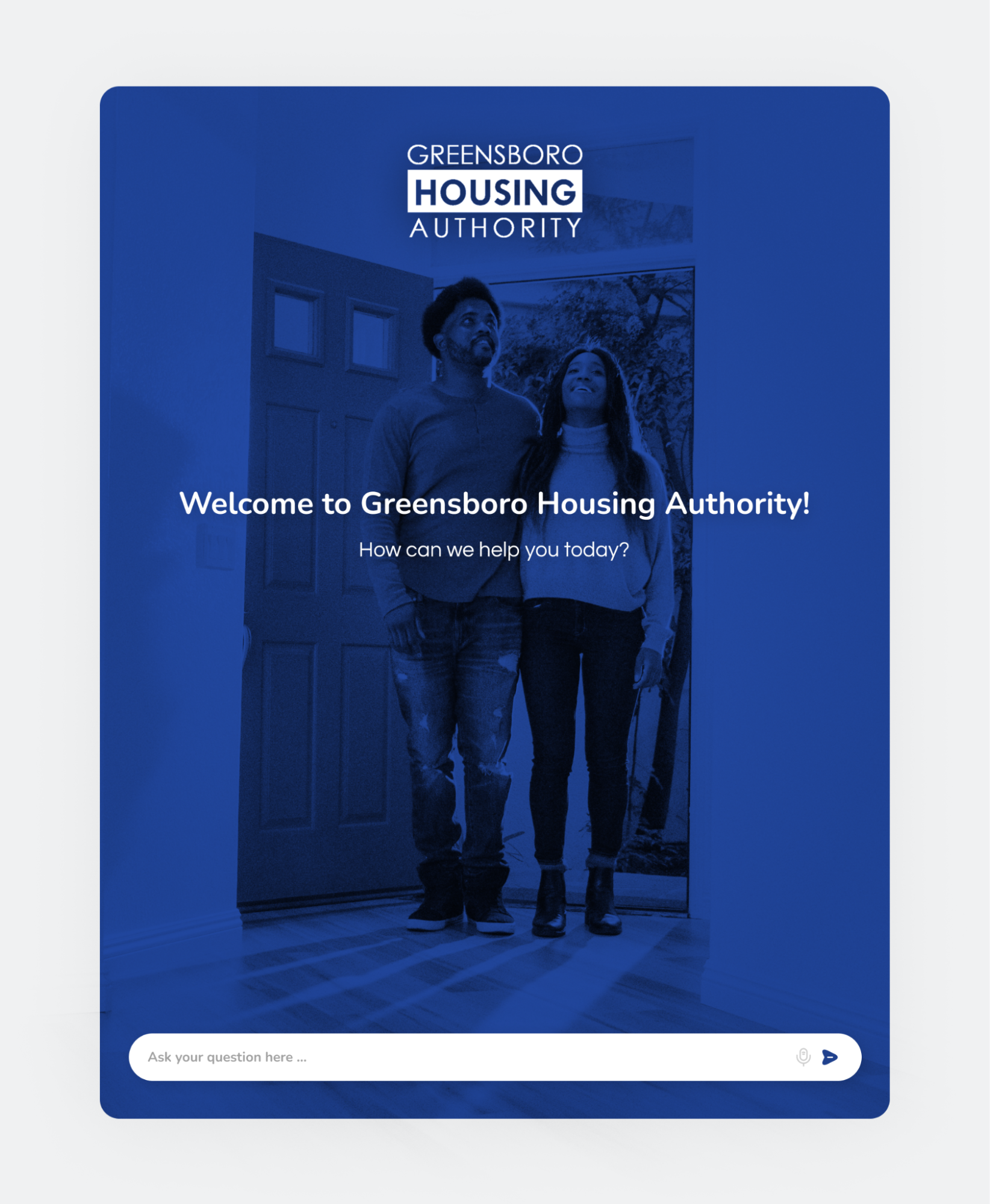
For the demo, we put together a single-page app modeled after a standard AI chatbot interface branded with GHA colors and language. They’re prompted with “How can we help you today?” and a text box that reads “Ask your question here…”.
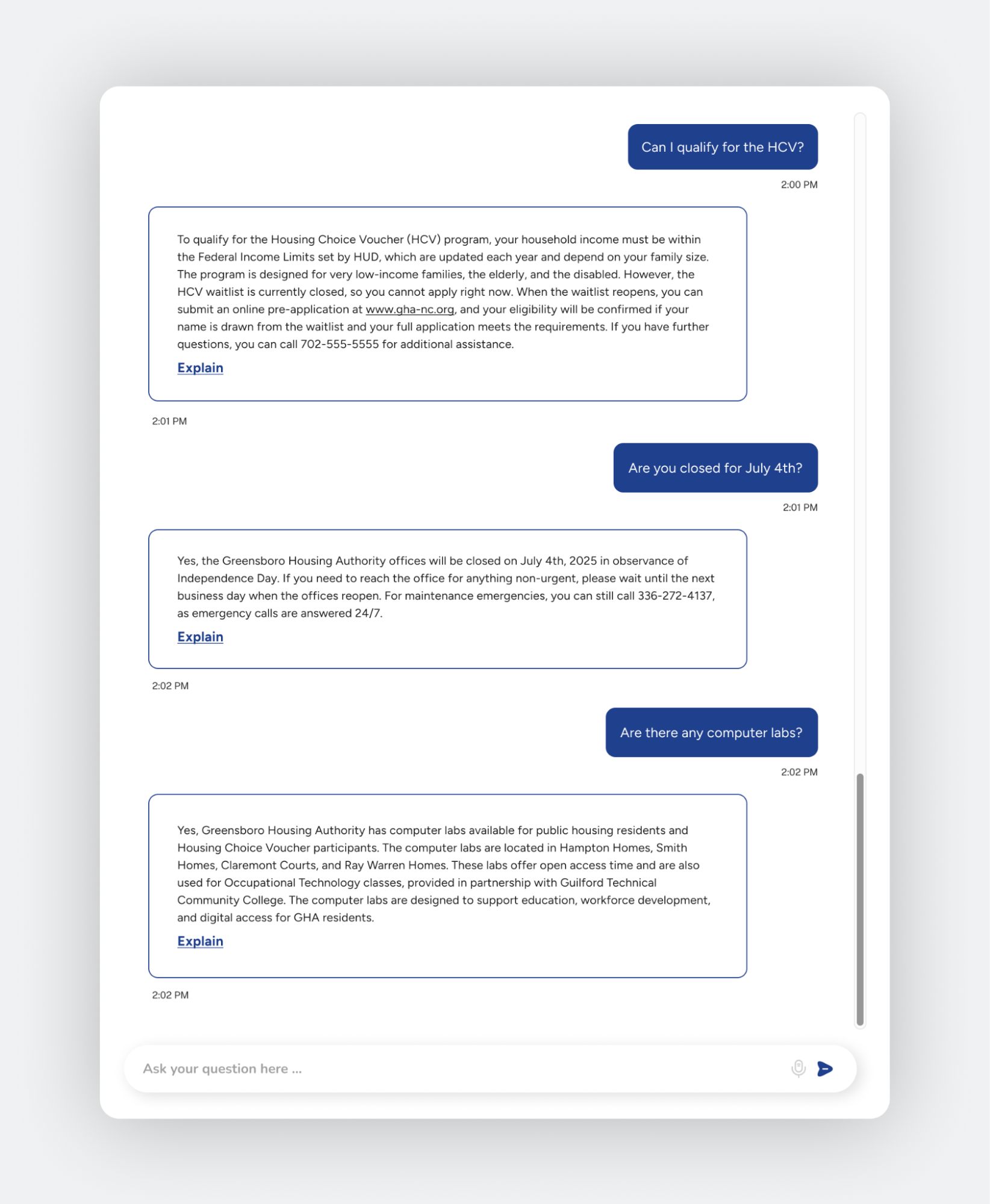
After asking a question, a chat-style interface displays with the response streaming in and a text box below that for the user to ask follow-up questions. Follow-up questions use the conversation history up to that point to help provide context.
The chatbot used retrieval-augmented generation (RAG) to power its responses. In plain terms, that means it answered from real, provided information rather than whatever it happened to pick up in training.
The focus was on making the chatbot perform well answering questions using information from their gha-nc.org website. GHA’s receptionist script was also added to the chatbot, so if a prompt came in asking a question that had an answer in the script it would use the script.
We also built some “tools” to demonstrate that functionality. Tools are custom code run for a specified prompt to provide the chatbot specialized context or data that otherwise wouldn’t be available in its training data.
So, for example, I built a tool called “availableUnits” and when a message came in asking about vacancy information the chatbot would launch this tool, which queried a database containing structured vacancy data to provide an answer. For demo purposes it was a static database built from a real-world export but in a production setting, you could wire this up to the production database to get accurate answers.
In the system prompt (which establishes the “persona” of the chatbot), if the chatbot was unable to supply a complete and accurate answer it replied saying so and directed the user to the GHA website.
The Tech Stack
Laravel was a great fit for the chatbot. It’s structured enough that we were able to quickly get the demo out the door, but also flexible enough to handle the more advanced pieces like the RAG pipeline and tool-calling.
Other pieces of tech used were:
- Prism, which made it easy to integrate an LLM into the app (https://prismphp.com/)
- OpenAI API for generating the embeddings
- SQLite to store embeddings, user sessions, and vacancy data (https://sqlite.org/)
The Kickoff
The kickoff meeting went well; people were impressed with the chatbot and saw promise in what it could do. In testing we'd found the chatbot gave a wrong answer about the current GHA president that traced back to a source-data issue, so we brought it into the demo intentionally.
A team member used it in the meeting to highlight how much data quality matters to getting the benefits of an AI rollout. The demo did what we set out to do, and the broader AI integration work began afterward.
What I’d Build In Earlier
One thing I'd add from day one is a more formal evaluation process. That data issue we caught in testing is a good example. Clean data and careful validation matter enormously in an AI project, and a repeatable process surfaces those issues earlier and more reliably.
For a future build, I’d work with the client early to create a set of representative questions and define what a strong answer should look like for each. During development, we could run those questions repeatedly and compare the model’s responses against the curated answers. That would make fine-tuning faster and more consistent, while giving us a stronger way to catch data or response issues as the system evolves.
The demo itself did what we wanted it to do. It created excitement and made the possibilities tangible. The bigger lesson was that a strong AI experience depends just as much on the testing, data cleanup, and validation behind it as what people see on screen.